
Audit Overview
Your store's untapped revenue potential — and how to unlock it
Why We Created This Audit
We analyzed birddogs.com the same way we've audited 350+ e-commerce stores — looking for the specific gaps between your current experience and what top-performing Fashion stores deliver. Every finding in this report is a revenue opportunity backed by industry data and competitive benchmarks.
What We Analyzed
- UX & Conversion Design13 findings
- Technology & App StackPlatform + 13 apps
- Industry BenchmarksFashion
Pages Analyzed
- Homepage findings
- Collection Pages findings
- Product Pages (PDP) findings
- Cart & Checkout findings
 This audit was prepared by Growisto — a CRO-led Website development team behind 167% conversion growth for Atomberg, 46% CR lift for TyresNmore, and 350+ e-commerce projects.
UX & Conversion Findings
Page-by-page analysis with visual comparisons against top Fashion stores
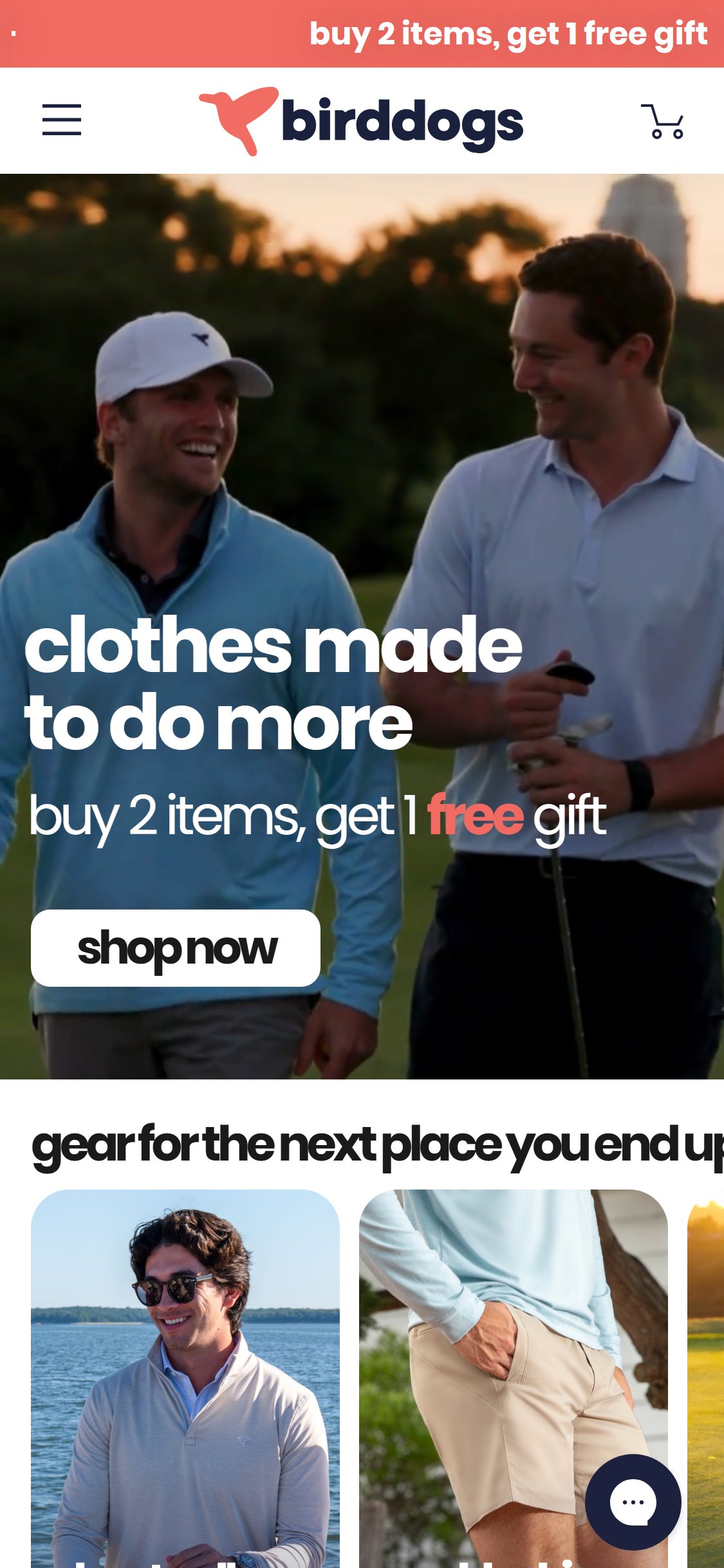
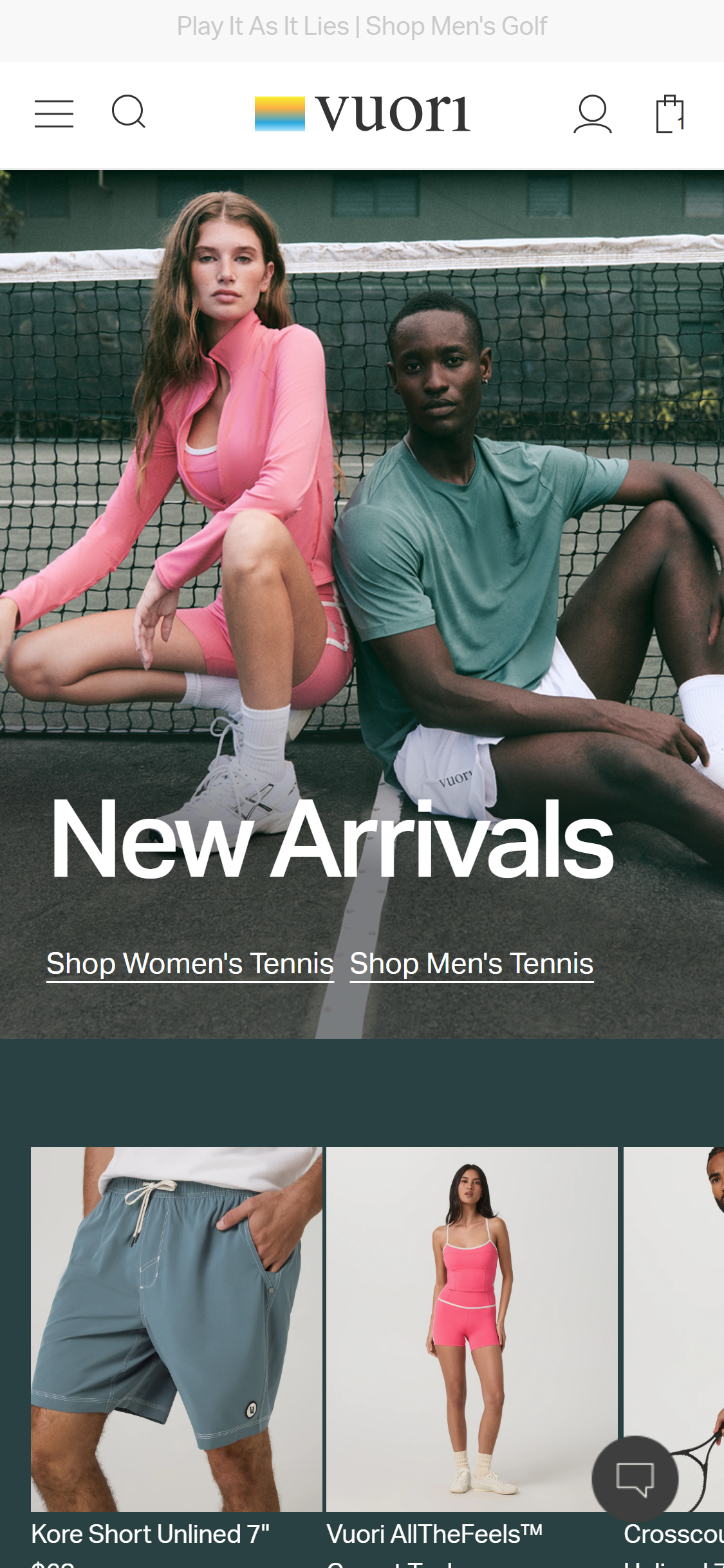
- The mobile header shows only a hamburger menu icon and cart icon — there is no search icon or search field anywhere in the header.
- Opening the hamburger menu reveals four category accordion items (Bottoms, Tops, Collections, Company) but still no search input.
- Search is a standard pattern across 10/10 fashion benchmarks; its absence forces users to navigate by category only, adding friction for intent-driven shoppers.
- Predictive/type-ahead search is cited as a top conversion driver for apparel because shoppers searching by keyword (e.g. 'navy 7 inch liner shorts') have higher purchase intent.
- Add a prominent search icon (magnifying glass) to the right side of the mobile header, adjacent to the cart icon.
- Implement predictive search with instant results showing product images, names, and prices as the user types.
- On desktop, consider an always-visible search bar in the top navigation rather than hiding it behind an icon.
- Include popular search terms or trending products as default suggestions when the search field is focused.
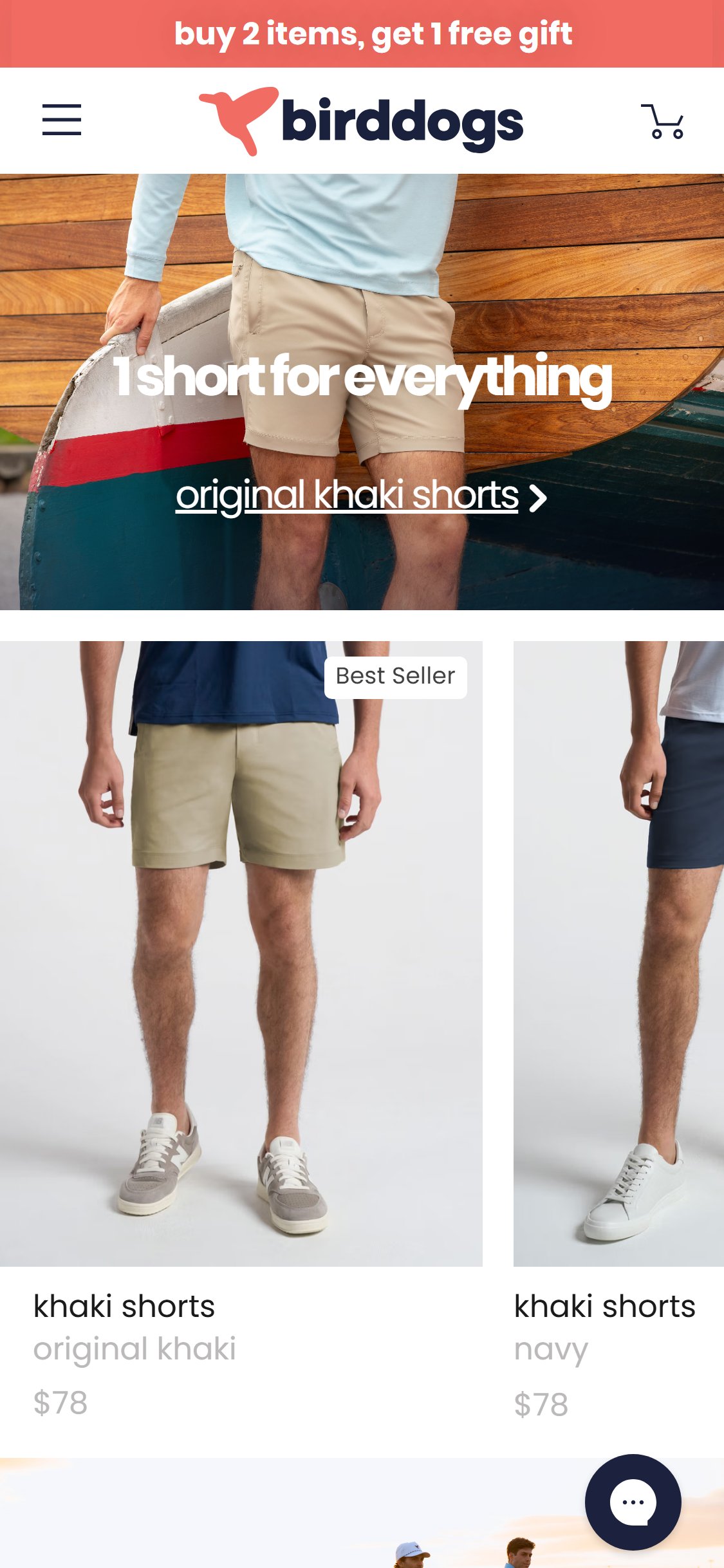

- Homepage featured product cards display product image, name (e.g. 'khaki shorts'), color variant, and price ($78) but no star rating or review count.
- Bird Dogs has 6,310 reviews on its flagship Khaki Shorts alone — this social proof is completely invisible at the homepage browse stage.
- Shoppers scanning the homepage have no signal that these products are highly rated before clicking through to a PDP.
- Competitor scan confirmed: none of the 3 approved competitors (Vuori, Chubbies, Mack Weldon) show star ratings on homepage product cards — a mockup is required to illustrate the recommended pattern.
- Add star ratings (e.g. ★★★★½ 6,310) directly beneath the product name on all homepage product card modules.
- Ensure the rating data is pulled from the same Okendo review feed already powering the PDP widget.
- Consider a 'Most Reviewed' or 'Top Rated' label variant in addition to 'Best Seller' for high-review products.
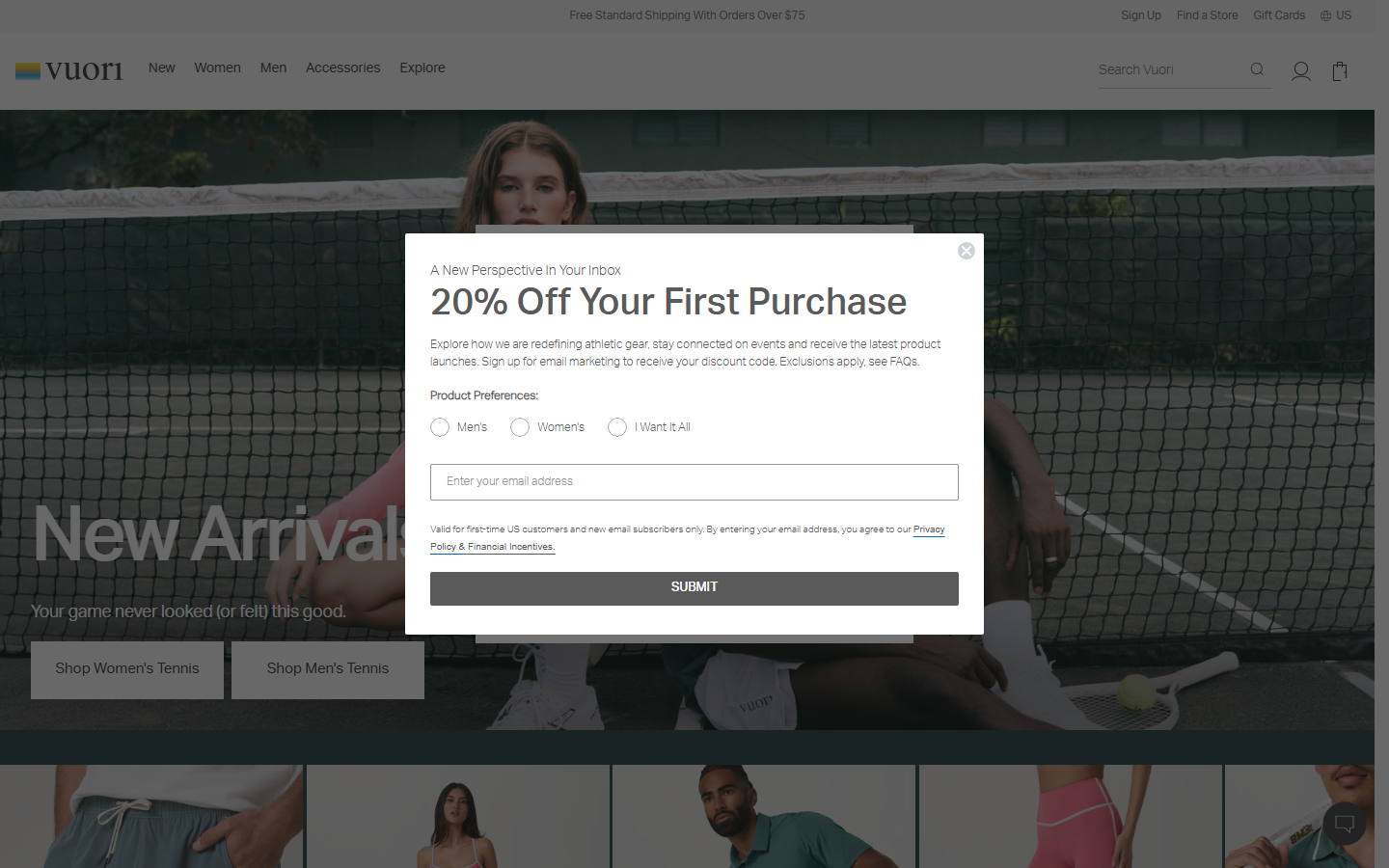
- No heart icon, save button, or wishlist feature exists on any product card (homepage, collection, PDP) across the entire site.
- Wishlist functionality is adopted by 10/10 fashion benchmark stores as a standard pattern.
- Without wishlist, shoppers who are browsing but not ready to buy have no low-friction way to bookmark products — they either convert now or are lost.
- Wishlists also provide valuable behavioural data (most-saved products) and enable targeted email re-engagement via Klaviyo.
- Competitor scan confirmed: Chubbies has heart/wishlist icons on every product card (confirmed via 'product-card-wishlist' class). Vuori has no wishlist. Chubbies is the stronger benchmark.
- Add a heart/bookmark icon to the top-right corner of every product card on homepage, collection, and PDP pages.
- Integrate wishlist with Klaviyo so saved-but-not-purchased items trigger a 'Still interested?' automated email flow.
- Allow guest wishlist (saved to localStorage) with an email-capture prompt to persist it — this doubles as a low-friction email acquisition tool.
- Surface a 'Saved Items' section in the account dashboard for logged-in users.
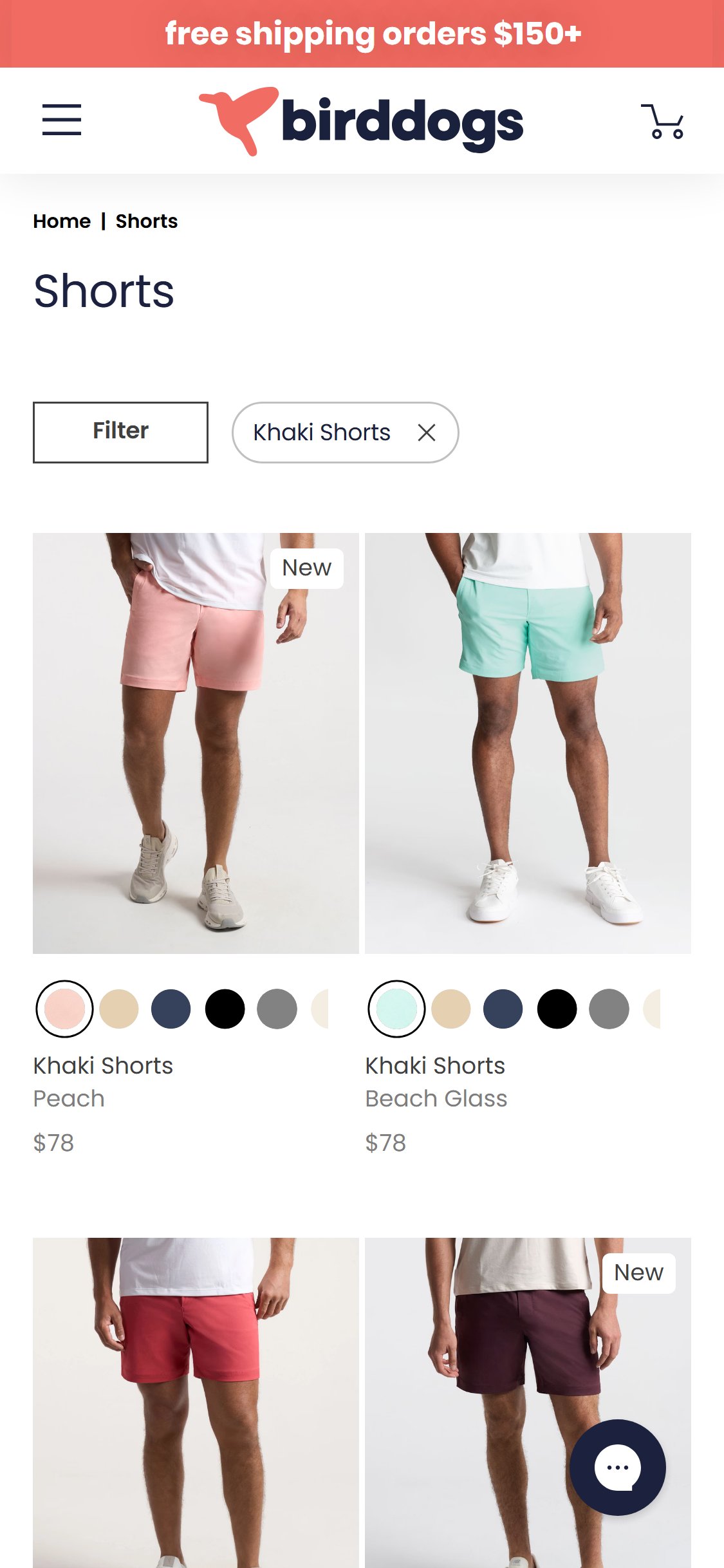

- All product cards on the Shorts collection page show color swatches, product name, color variant name, and price ($78) — no star rating or review count is displayed.
- Bird Dogs' flagship Khaki Shorts has 6,310 reviews at 4.7 stars — this is a powerful trust signal that is completely hidden from shoppers browsing the collection.
- The browse-to-PDP click decision is made at the card level; without visible ratings, shoppers have no social proof nudge to click.
- Competitor scan confirmed: none of the 3 approved competitors (Vuori, Chubbies, Mack Weldon) show star ratings on collection page cards — a mockup is required to illustrate the recommended pattern.
- Render star ratings and review counts beneath the product name on every collection card, sourced from the existing Okendo integration.
- For products with fewer than 5 reviews, show a 'New' badge instead of a rating to avoid displaying statistically weak scores.
- Test placing ratings below the price vs. below the product name to find the highest-CTR placement.
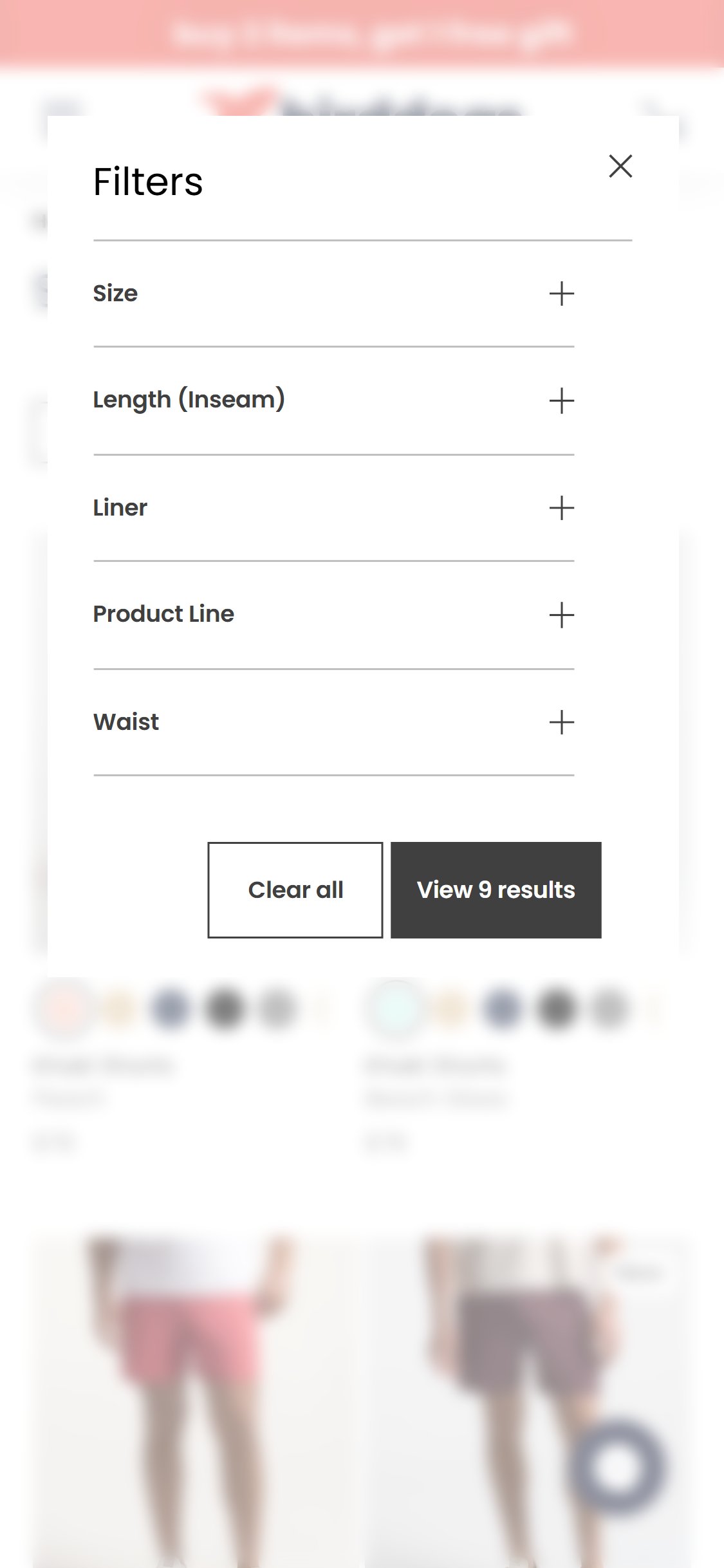
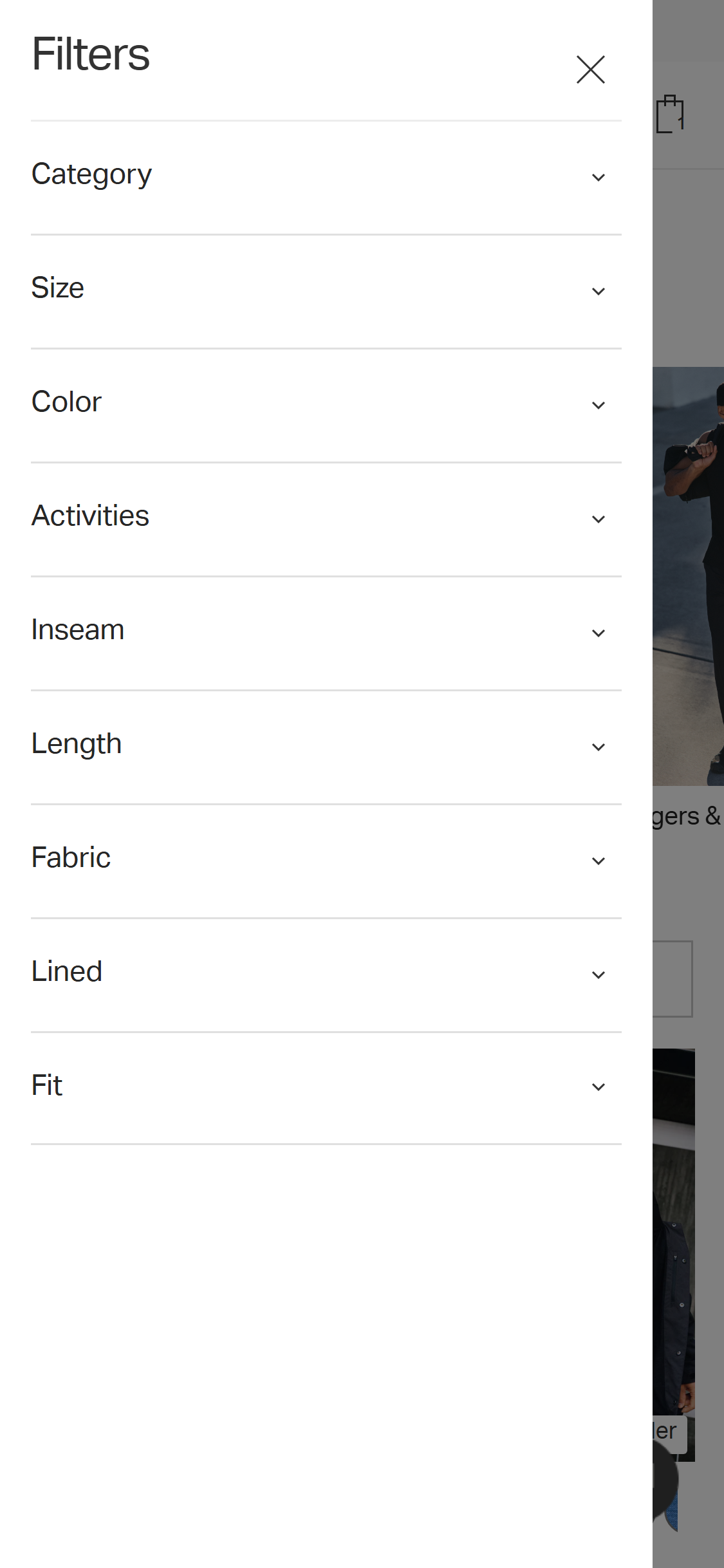
- The filter panel contains: Size, Length (Inseam), Liner, Product Line, and Waist — but has no Color filter and no Price Range filter.
- Bird Dogs offers 20+ color variants of the Khaki Shorts; shoppers cannot filter to see only a specific color across all products on the collection page.
- There is no Sort dropdown visible on the collection page itself — sorting requires opening the full filter modal.
- The collection page URL shows a pre-applied 'Khaki Shorts' filter chip, suggesting the filter system is functional but incomplete.
- Standard fashion collection pages offer 5+ filter categories including color and price; the absence of color filtering is particularly notable given Bird Dogs' wide color range.
- Competitor scan confirmed: Chubbies has both Color and Price Range filters. Vuori has Color but no Price filter. Mack Weldon (original assignment) retained as benchmark pending live verification.
- Add a Color filter using visual swatch chips (not text labels) to the filter panel.
- Add a Price Range filter (even if most products are at a single $78 price point, it prepares the page for future SKU expansion and sale items).
- Surface a Sort dropdown (Best Selling, Newest, Price Low-High, Price High-Low) directly on the collection page without requiring the filter modal to open.
- Consider a horizontal scrollable filter bar above the product grid for mobile to reduce the friction of opening a full modal for single-attribute filtering.
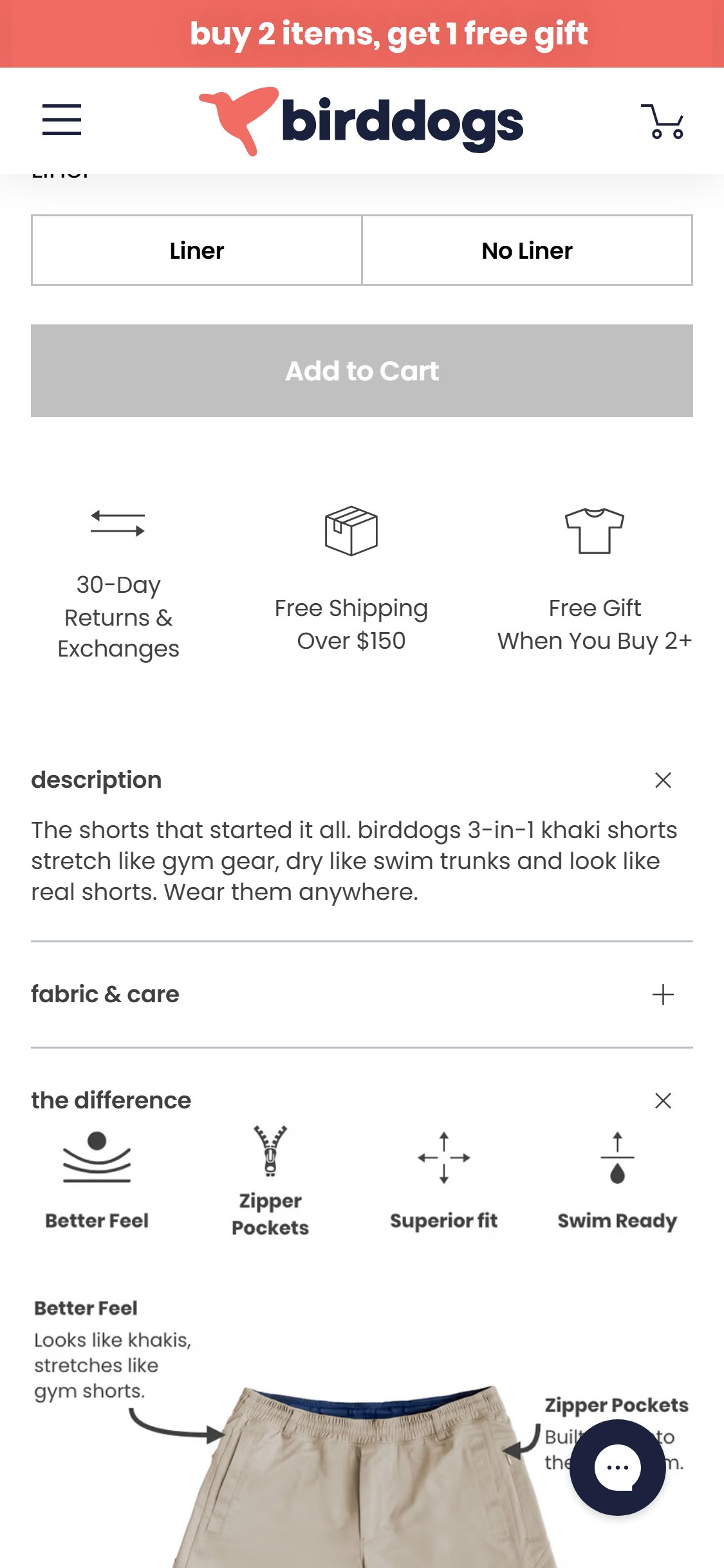

- The PDP ATC area shows only an 'Add to Cart' button (greyed out until size/length/liner are selected) with no express checkout buttons beneath it.
- Shop Pay, PayPal, and Apple Pay express checkout buttons are absent from the PDP entirely.
- Express checkout buttons allow returning customers (and new users with saved payment info) to skip the cart and checkout in one tap — a significant conversion accelerator.
- Express checkout adoption is growing rapidly; the lack of any accelerated payment path from the PDP adds unnecessary steps for high-intent shoppers.
- Competitor scan: Vuori has no express checkout on PDP (only 'Add to Bag'). Chubbies has no express checkout. Mack Weldon (Shopify store) is original benchmark — retained as express checkout is standard on Shopify.
- Add Shop Pay, PayPal, and Apple Pay dynamic checkout buttons directly below the 'Add to Cart' button on the PDP.
- Use a visual divider (e.g. '— OR —') between the ATC button and express checkout options to maintain hierarchy clarity.
- Ensure the express checkout buttons are activated only after size/length/liner variants are selected, consistent with the current ATC button logic.
- A/B test placing express checkout above vs. below the ATC button to find the optimal conversion sequence.
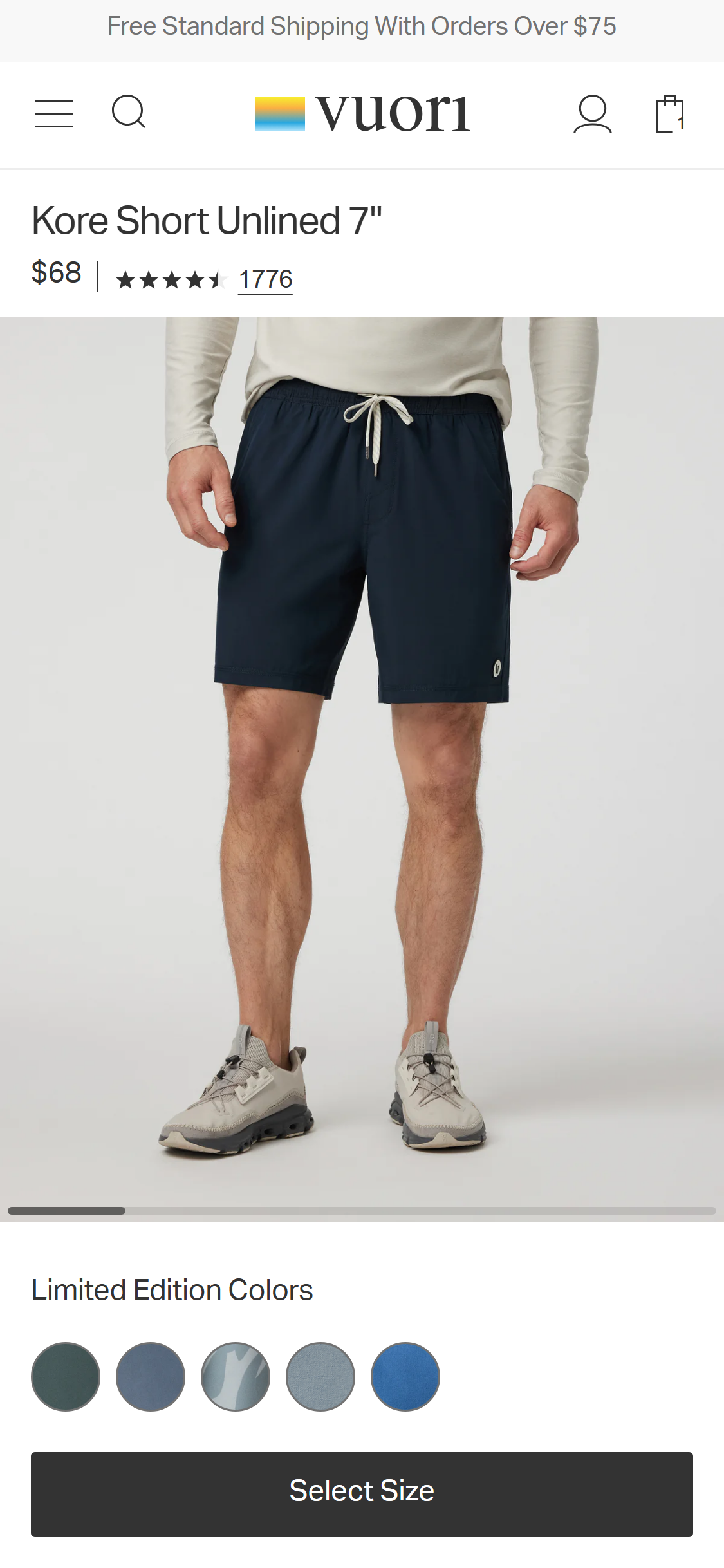
- The PDP price area shows '$78' with no Afterpay, Klarna, or Shop Pay Installments messaging (e.g. 'or 4 payments of $19.50 with Afterpay').
- At $78 per item, BNPL messaging has moderate but real impact — shoppers on the fence about the price point benefit from seeing a smaller instalment figure.
- BNPL adoption is listed as a growing pattern (5/10 fashion benchmarks) and is particularly effective for apparel in the $60–$150 range.
- The absence of BNPL messaging is a missed opportunity to reduce price-related cart abandonment.
- Competitor scan confirmed: Vuori shows '$68, or 4 payments of $17 with Afterpay' directly below the ATC button. Chubbies has no BNPL. Vuori is the confirmed best benchmark.
- Add Afterpay or Klarna messaging directly beneath the price ($78), e.g. '4 interest-free payments of $19.50 with Afterpay. Learn more >'
- Integrate whichever BNPL provider aligns with the current Shopify checkout setup (Shopify Payments supports Shop Pay Installments natively).
- Use the BNPL provider's official badge/widget to build trust and ensure compliance with their brand guidelines.
- Consider also surfacing BNPL messaging in the cart drawer near the subtotal.
- The PDP accordion shows 'description' as open (×) and 'fabric & care' as collapsed (+) by default.
- Fabric composition (95% Nylon & 5% Spandex) is critical purchase information for apparel shoppers — especially those with sensitivities or active-wear needs.
- Requiring an extra tap to see fabric details adds friction to the decision-making process and may cause shoppers to bounce rather than dig for information.
- The 'the difference' section is open by default but contains a visual infographic rather than key specifications — swapping the open/closed states would prioritise more decision-relevant content.
- Competitor scan confirmed: Chubbies has 'Fabric & Fit' section OPEN by default showing fabric composition (98% cotton/2% spandex), fit, and pockets. Vuori has Fabric & Care COLLAPSED. Chubbies is the better benchmark.
- Set 'fabric & care' to be open (expanded) by default alongside 'description', so fabric composition is immediately visible without interaction.
- Alternatively, display fabric composition as a non-collapsible line of text directly below the price/variant selectors (above the accordion section).
- Consider restructuring the accordion so the order is: Description → Fabric & Care → The Difference, reflecting a logical information hierarchy from basic to differentiating.
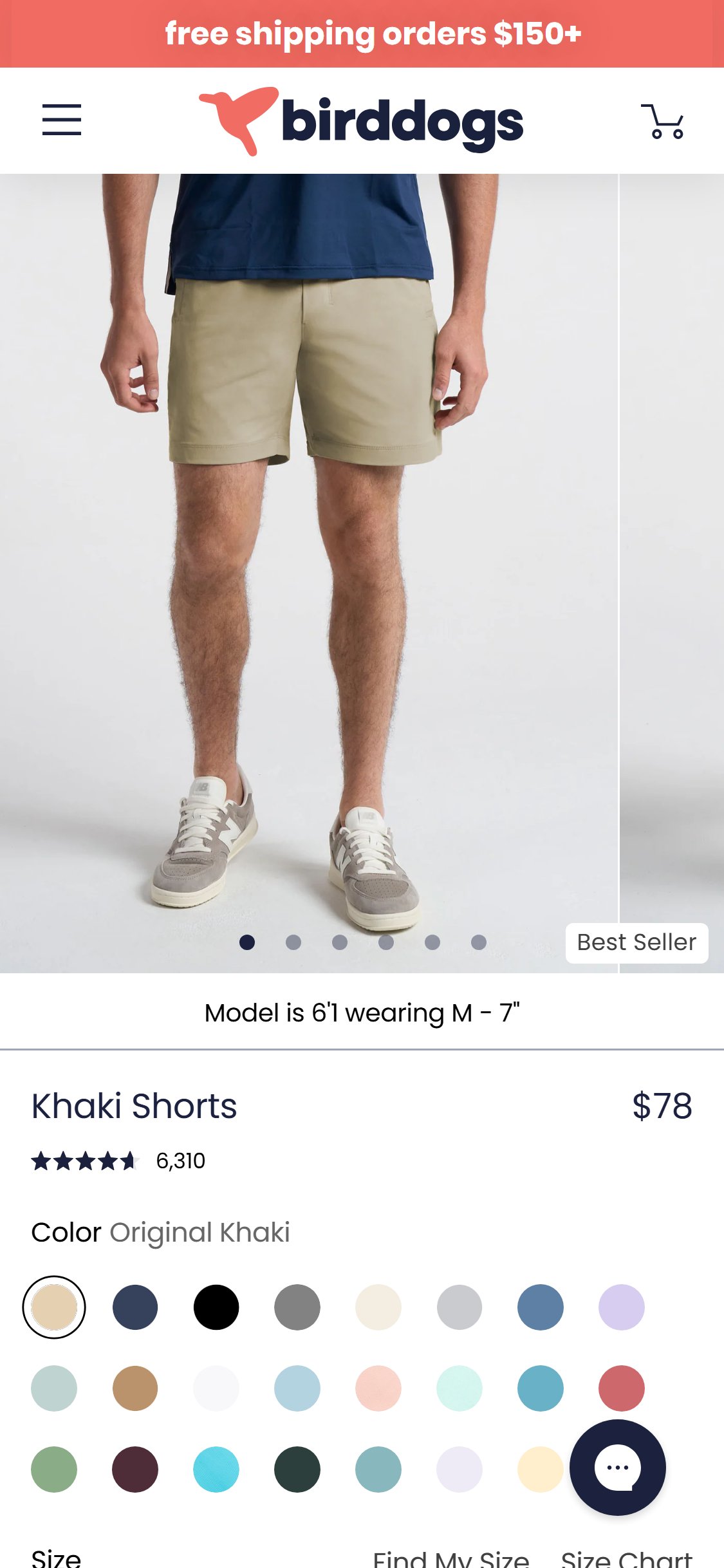
- The PDP shows a 'Find My Size' text link and a 'Size Chart' button — both exist but neither provides an interactive fit-finder experience.
- The 'Size Chart' button opens a static measurement table; 'Find My Size' is a passive text label rather than an interactive quiz or recommendation tool.
- An interactive fit finder (e.g. 'Enter your height and weight → We recommend size M') reduces size uncertainty, a primary driver of returns in men's apparel.
- The review section already collects height and weight data from reviewers (visible in pdp_reviews_area screenshot) — this data could power a fit recommendation engine.
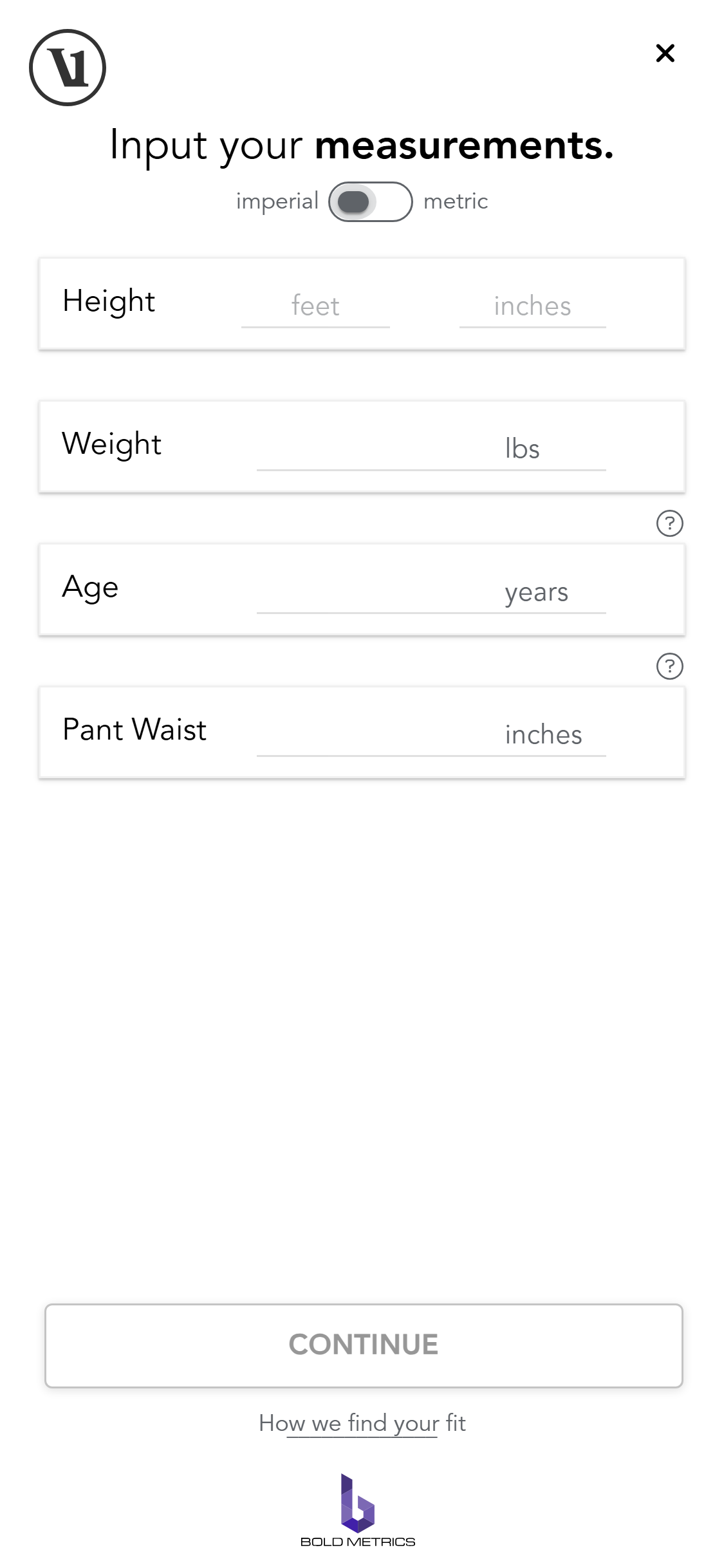
- Competitor scan confirmed: Vuori has a full Bold Metrics interactive fit finder — 'Find My Size' button opens modal with Height, Weight, Age, Pant Waist inputs and outputs a size recommendation. Chubbies has only a static Size Guide link.
- Implement an interactive fit finder that asks 2–3 questions (height, weight, fit preference) and outputs a specific size recommendation.
- Leverage the height/weight data already collected in Okendo reviews to validate and power the recommendation logic.
- Consider a tool like Fit Predictor or a custom quiz modal triggered by the 'Find My Size' link.
- Display the recommended size visually highlighted in the size selector (e.g. 'Recommended for you: M') after the quiz is complete.
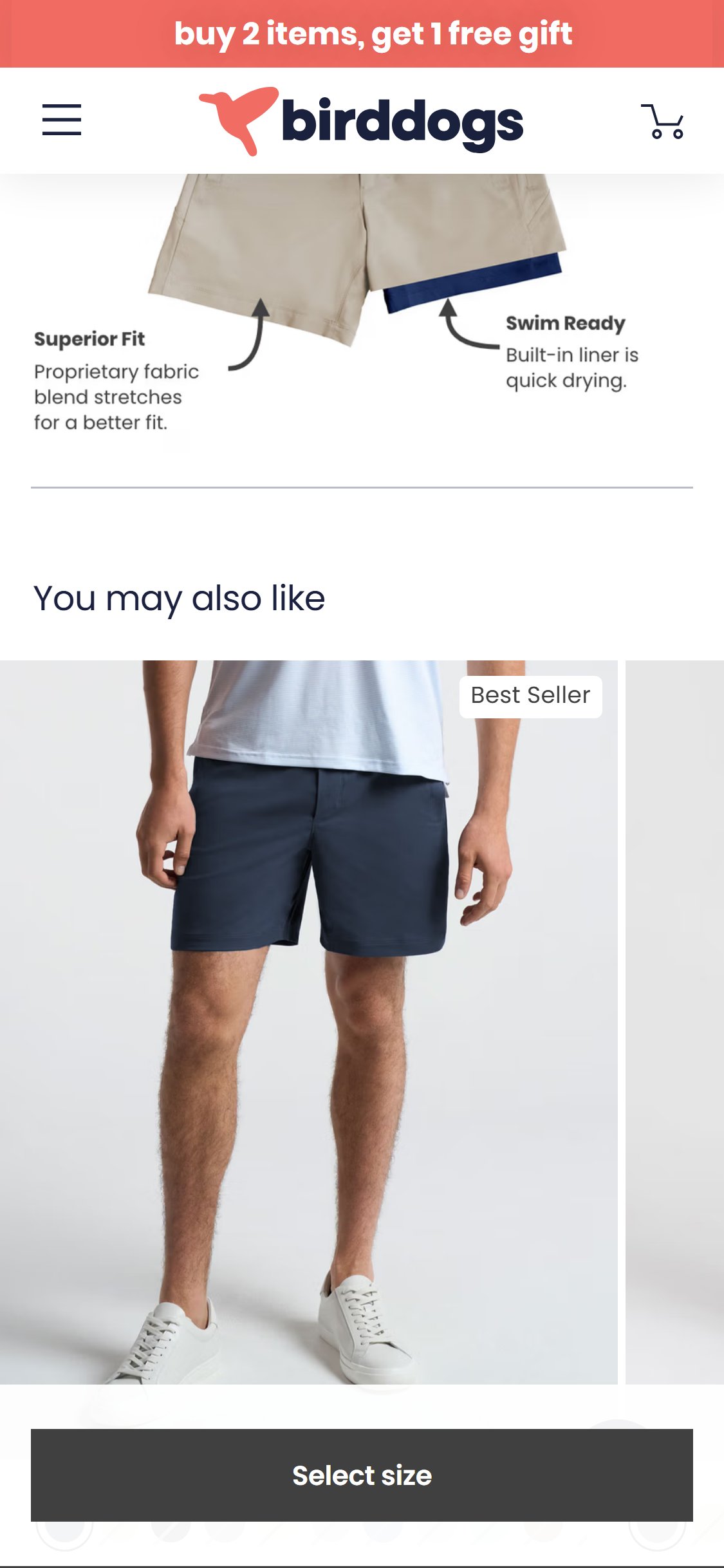
- The 'You may also like' section on the Khaki Shorts PDP shows only other Khaki Shorts colour variants (Original Khaki, Navy, Dark Gray, Black, Light Gray).
- All recommended products are in the same product category at the same price point — there is no cross-category or 'Complete the Look' merchandising.
- Bird Dogs sells tops (polos, tees, quarter-zips) and pants in addition to shorts — none of these appear in the cross-sell carousel.
- Same-category-only cross-sell misses the opportunity to increase average order value by suggesting complementary tops or accessories.
- Competitor scan: Chubbies has NO cross-sell section on PDP (contradicts original assignment). Vuori has a confirmed 'Shop The Look' cross-category section showing accessories (socks) alongside the main product. Benchmark updated to Vuori.
- Replace or supplement the same-colour-variant cross-sell with a 'Complete the Look' or 'Pairs Well With' section featuring tops and accessories.
- Use merchandising logic to surface 1–2 shorts variants + 2–3 tops/polos that are commonly bought together (leverage purchase data from Shopify).
- Consider a two-row approach: row 1 = 'Complete the look' (tops/accessories), row 2 = 'More colours' (same product variants).
- Test whether cross-category recommendations increase AOV compared to same-category-only recommendations.
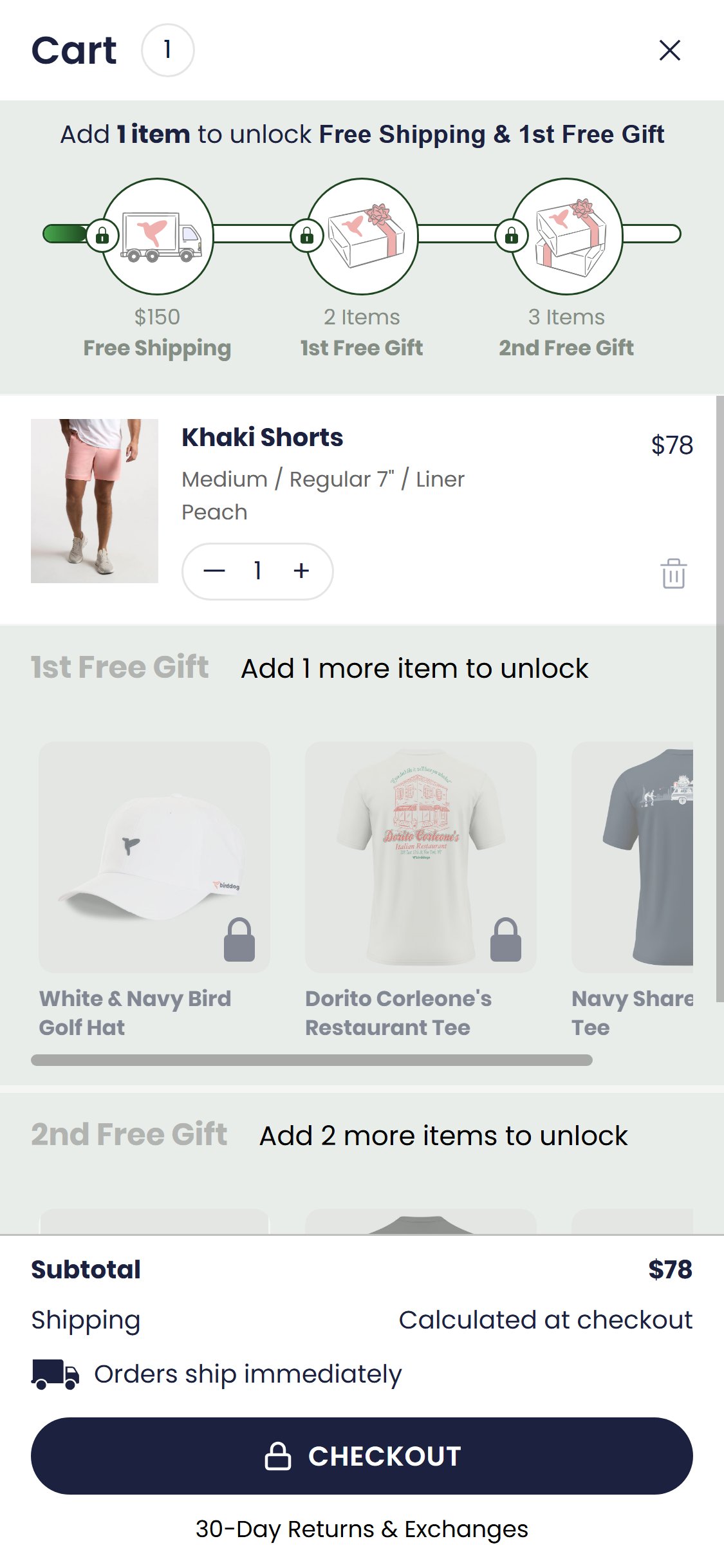
- The cart drawer shows the added item, a free-gift progress bar (1 item → free shipping at $150, 2 items → 1st free gift, 3 items → 2nd free gift), and a checkout button.
- There is no 'You may also like', 'Frequently bought together', or 'Complete the look' product cross-sell section in the cart drawer.
- The free-gift tier mechanic is a strong incentive driver but it functions as a cart-to-cart upsell (add more to unlock a gift) rather than a product discovery / cross-sell module.
- Cart drawers with product cross-sell recommendations have been shown to increase AOV by surfacing relevant complementary items at high-intent moments.
- Cross-sell in cart is adopted by 7/10 fashion benchmark stores.
- Competitor scan confirmed: Chubbies has 'Recommended For You' cross-sell section in cart. Vuori has 'More to Love' cross-sell in add-to-cart mini-modal.
- Add a 'You might also like' or 'Complete your order' cross-sell rail below the cart items, showing 3–4 product recommendations based on what is in the cart.
- Use Shopify's product recommendations API or a personalisation app to surface relevant tops/accessories when shorts are in the cart.
- Ensure the cross-sell section does not crowd the checkout CTA — place it above the order summary but below cart items, with a compact card format.
- Frame cross-sell products in the context of the free-gift tiers: e.g. 'Add 1 more item to unlock your free gift' with recommended products shown.
- The cart drawer shows a three-milestone progress bar (Free Shipping at $150 / 1st Free Gift at 2 items / 2nd Free Gift at 3 items).
- The bar visually shows progress (one segment filled green) but does not display dynamic copy such as 'Add $72 more to unlock free shipping'.
- Without a specific dollar amount, the threshold feels abstract — shoppers know they need to spend $150 but have no quick mental calculation of how far they are.
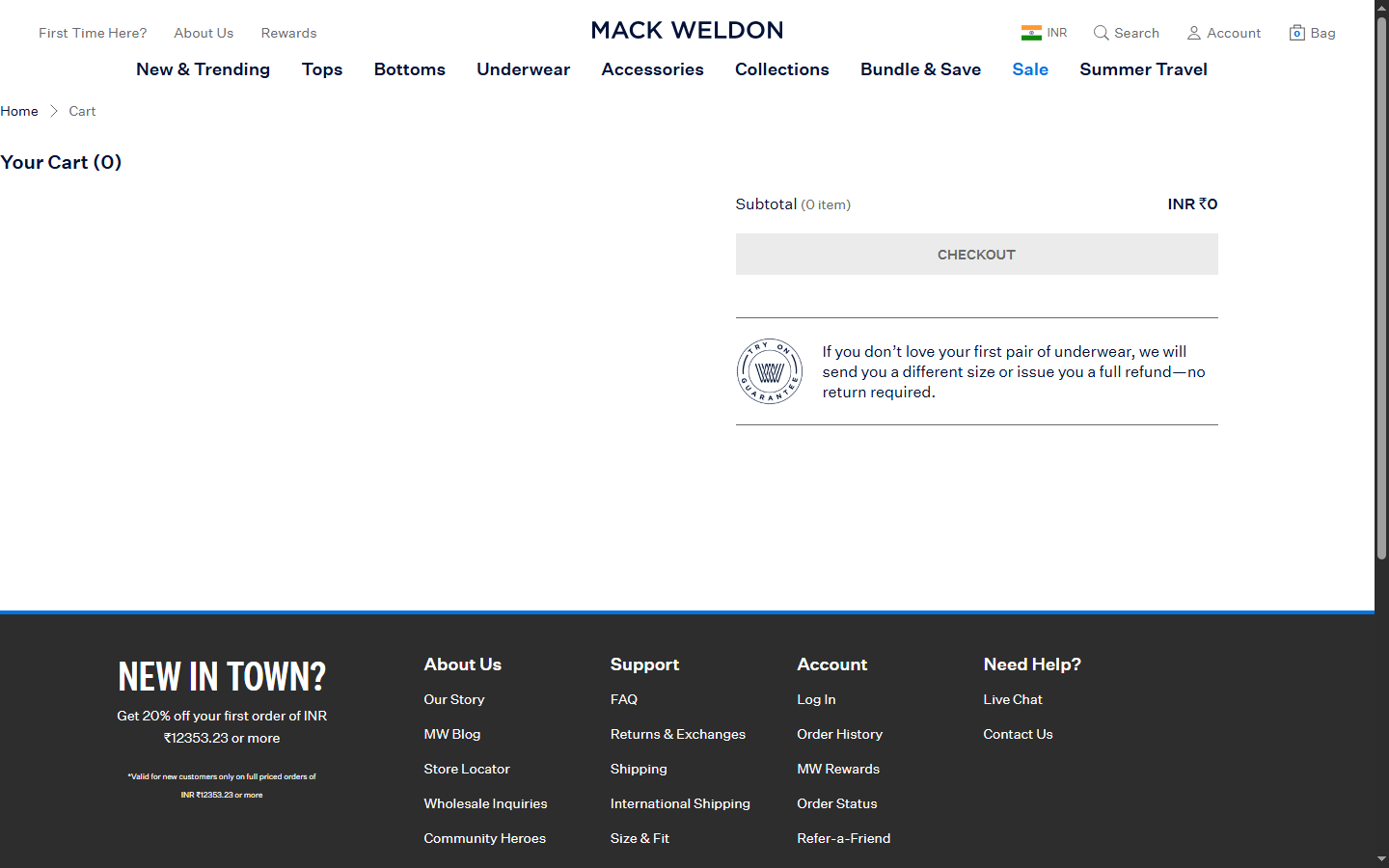
- Dynamic nudge copy (e.g. 'You're $72 away from free shipping!') is a proven conversion driver that increases cart additions before checkout.
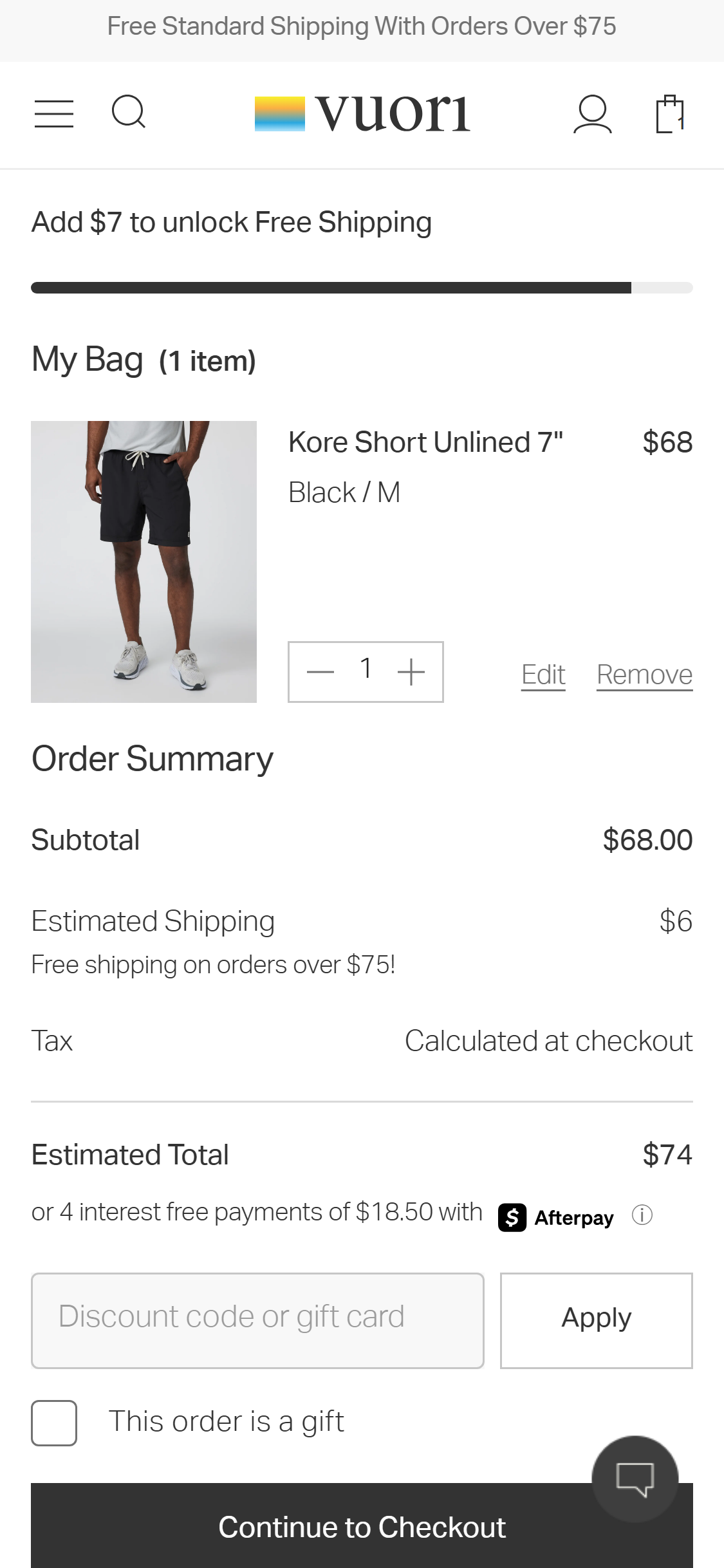
- Competitor scan confirmed: Vuori shows 'Add $7 to unlock Free Shipping' with dynamic amount. Chubbies shows 'Add $50.00 & Sign-Up to Unlock Free Standard Shipping'. Both are verified alternatives.
- Add dynamic copy above or below the progress bar showing the exact remaining dollar amount: e.g. 'Add $72 more to unlock Free Shipping & your 1st Free Gift!'
- Update the copy in real-time as items are added/removed from the cart.
- Consider combining the free shipping and free gift thresholds into a single motivating message since they overlap (both triggered by item count and spend).
- Test emoji or icon-enhanced nudge copy (e.g. '🎁 Add $72 more to unlock Free Shipping + a free gift!') for higher engagement.
- The cart drawer shows: progress bar, cart item, free gift sections, subtotal, shipping note, and CHECKOUT button — no promo or discount code input field is present.
- Shoppers who arrive with a discount code (from email campaigns, influencer codes, or ad creatives) have no in-cart redemption point — they must wait until the Shopify checkout page.
- This creates a trust/anxiety moment: shoppers are unsure whether their code will work and may hesitate to proceed to checkout.
- Promo code fields in cart drawers also serve as a conversion nudge — seeing the order total update immediately after applying a code reinforces the decision to buy.
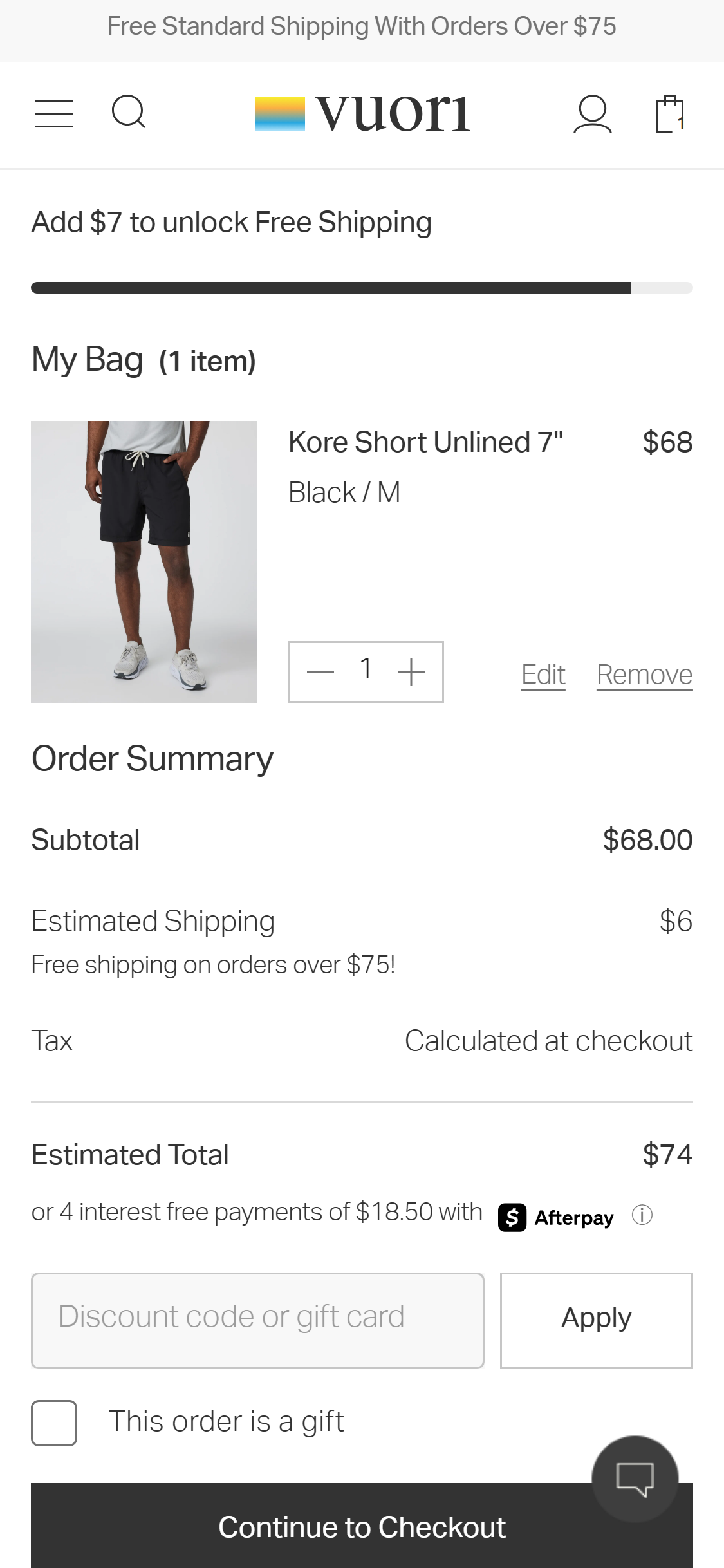
- Competitor scan confirmed: Vuori has 'Discount code or gift card' input field with Apply button on the cart page. Chubbies also has a discount code field confirmed. Vuori is original benchmark and confirmed.
- Add a collapsible 'Have a promo code?' input field in the cart drawer, positioned above the subtotal row.
- Display the applied discount name and savings amount (e.g. 'BIRDFAN applied: -$10') once a valid code is entered.
- If Shopify's checkout handles all discount logic, use the Storefront API to apply codes client-side within the cart drawer before redirecting to checkout.
- Ensure the field is collapsed by default with a text link trigger to avoid visual clutter for shoppers without a code.
Performance & Technology
Core Web Vitals, page-speed signals, and the technology stack powering Bird Dogs
Core Web Vitals
Technology Stack
Performance & Technology Assessment
Mobile performance is needs work (—/100); desktop is needs work (—/100) on Shopify. Page-speed and Core Web Vitals are increasingly load-bearing for SEO and conversion in this category — addressing the weakest vital first is the single highest-leverage technical improvement available.
Confidential — Prepared for Bird Dogs by Growisto | May 2026
App Ecosystem
What's installed vs what's missing from best-in-class Fashion stores
Present (13)
Missing (7)
App Stack Assessment
13 apps detected across analytics, retention, and storefront tooling. Bird Dogs runs a modern headless Hydrogen stack with strong attribution (Northbeam, Axon, GA4) and retention tooling (Klaviyo, Postscript, Gorgias, Okendo). Critical gaps exist in conversion tooling: no site search, no express checkout, no BNPL, no wishlist, and no cart cross-sell.
Confidential — Prepared for Bird Dogs by Growisto | May 2026